A CAPTCHA Should Never Ask You to Open Terminal
For years, we’ve taught people to trust the signs of security.
HTTPS lock icon.
CAPTCHA.
Multi-factor authentication.
Browser security prompts.
Those have become the visual language of trust on the Internet.
Attackers have noticed.
A couple of weeks ago, I visited Gizmodo while researching another topic. Almost immediately, a familiar Google reCAPTCHA appeared. At first glance, nothing seemed unusual.
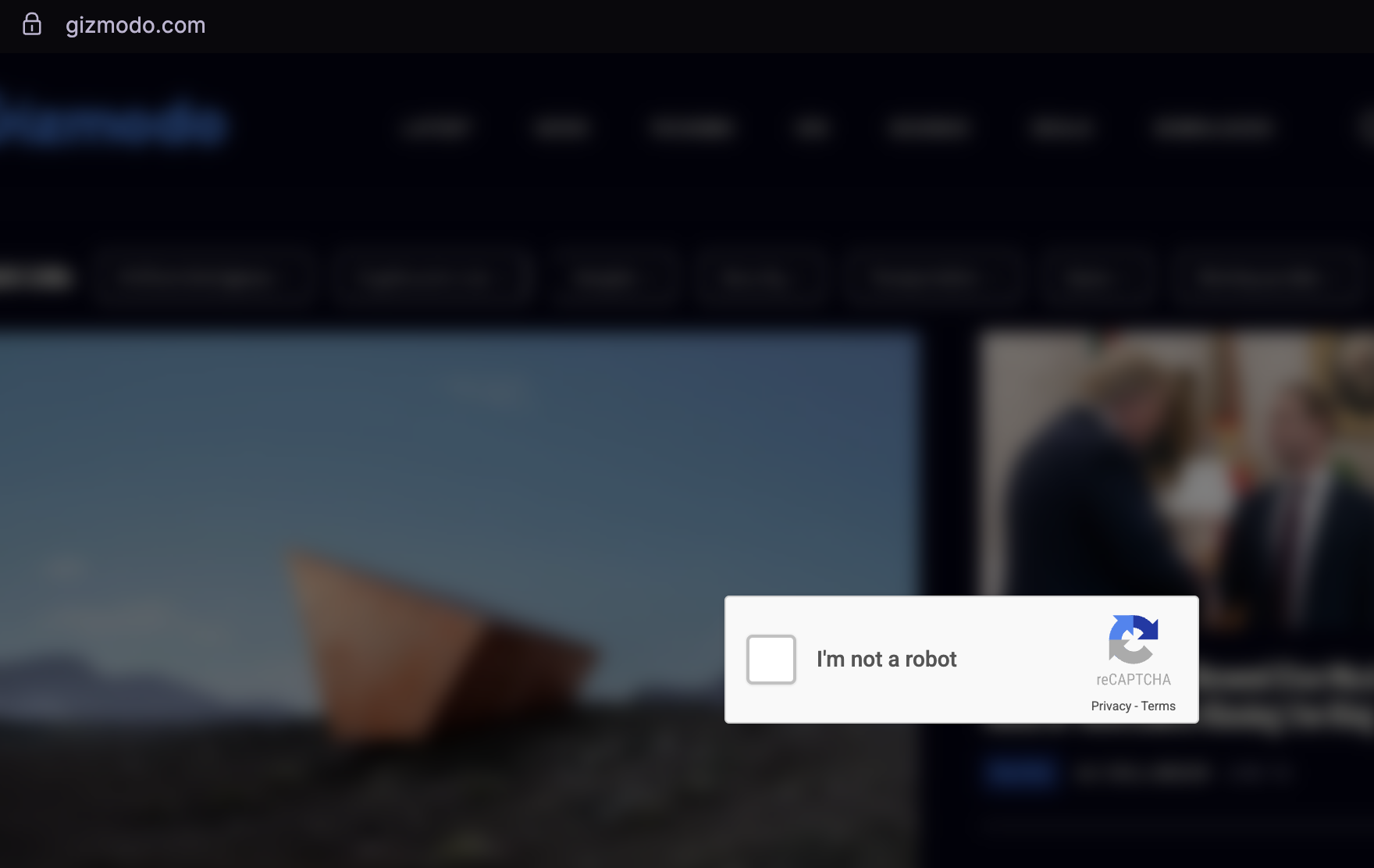
Then something felt…off.
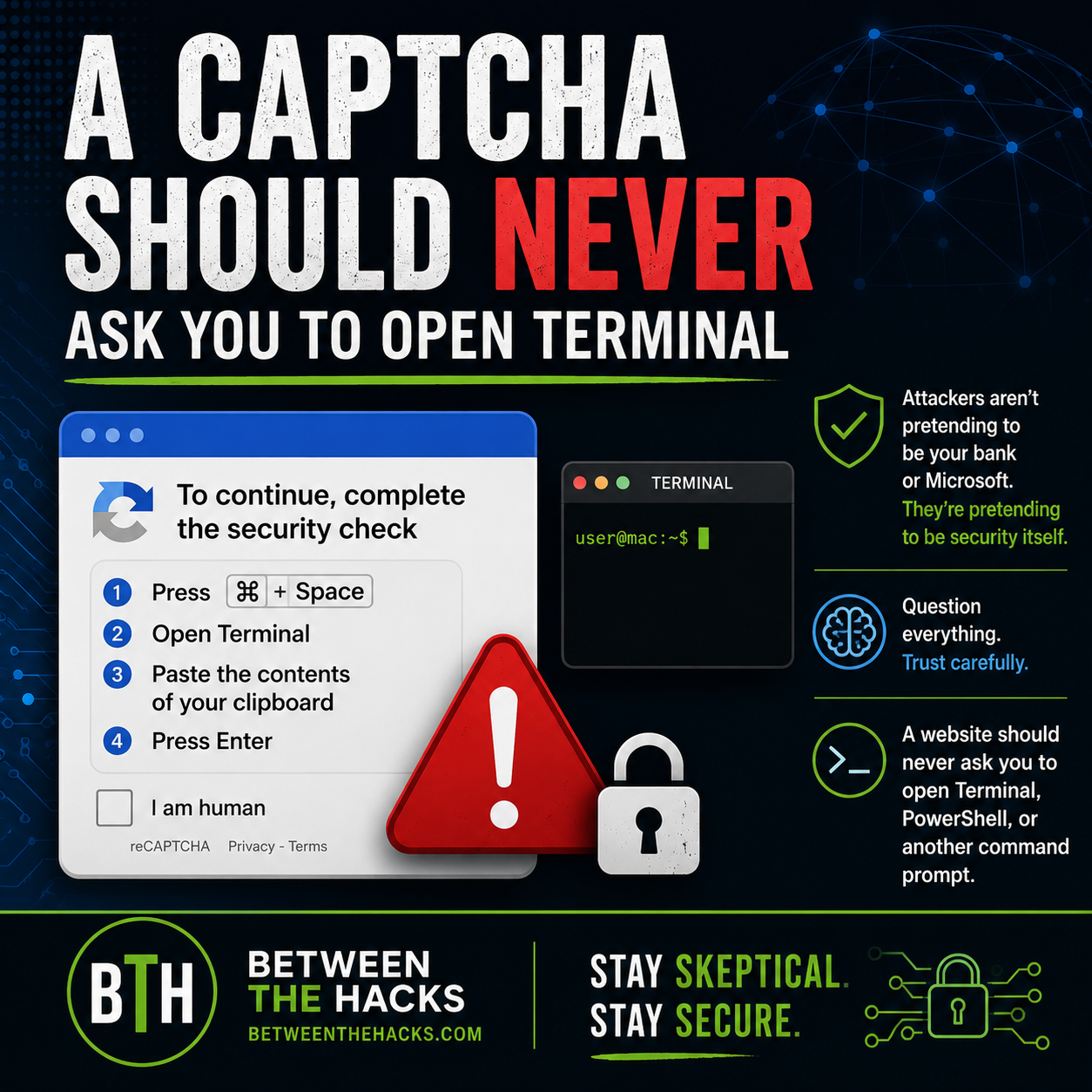
Instead of asking me to identify traffic lights or crosswalks, the CAPTCHA instructed me to:
Press ⌘ + Space
Open Terminal
Paste the contents of my clipboard
Press Enter
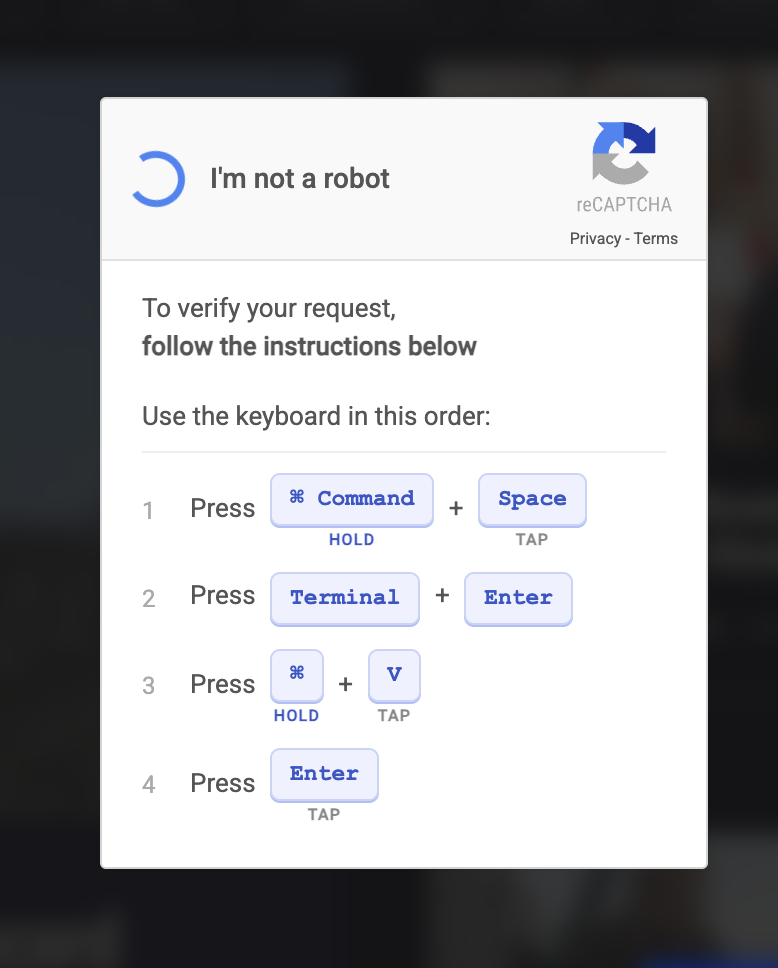
Note step #2 is incorrect as it instructs the user to “Press” “Terminal” vs “Type ‘terminal’ + Press Enter”
That wasn’t a CAPTCHA.
It was an attempt to trick me into infecting my own computer.
I never downloaded a file.
I never opened an email attachment.
I never ignored a browser warning.
Instead, I was being asked to do something much more subtle.
Execute a command I didn’t understand.
Security Has Become the Disguise
This technique has become known as ClickFix.
At its core, ClickFix is remarkably simple. A fake verification prompt copies a malicious command to your clipboard, then convinces you to paste and execute it in Terminal or PowerShell.
But the technical details aren’t the most interesting part.
The psychology is where it gets interesting.
For years we’ve trained users to trust security mechanisms. Those signals have traditionally meant, “This website is trying to protect you.”
This isn’t the first time attackers have abused that trust. In 2020, I wrote about phishing websites embedding legitimate Google reCAPTCHA widgets to make fake login pages appear more credible. The objective was the same then as it is now: borrow the reputation of a trusted security mechanism to lower a victim’s guard.
ClickFix takes that idea a step further.
Instead of using a legitimate CAPTCHA to build trust, attackers are now impersonating the CAPTCHA itself to persuade victims to execute malicious commands.
The tactic has changed but the psychology hasn’t.
ClickFix turns that trust into a weapon.
It doesn’t exploit software. It exploits the trust we’ve built in our security controls. That’s what makes it different from traditional phishing.
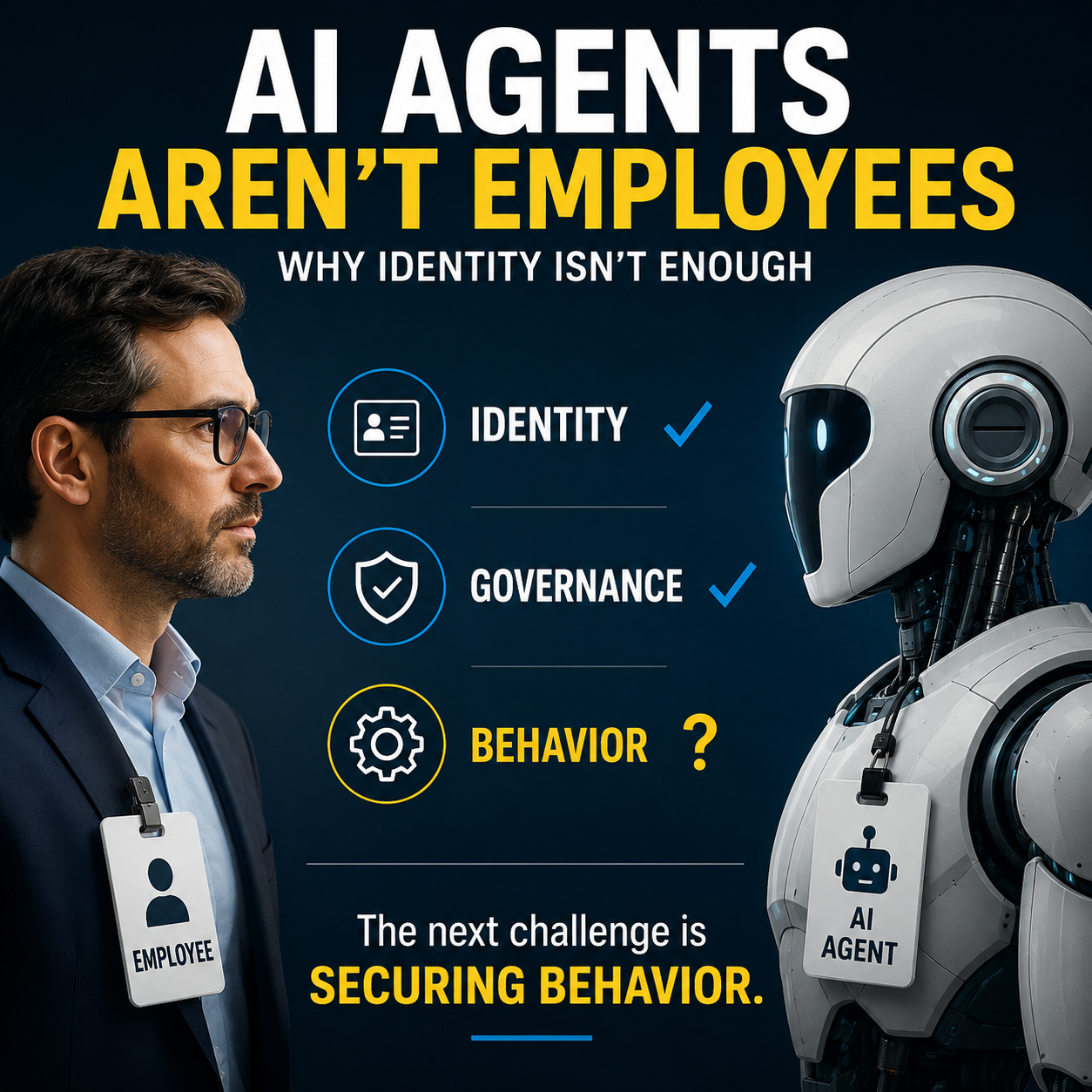
Attackers aren’t pretending to be your bank. They aren’t pretending to be Microsoft. They are increasingly pretending to be security itself.
That’s a subtle but important evolution in social engineering.
I Wanted to Know More
My first thought was that something had gone wrong with my browser. Maybe it was a malicious extension. Maybe it was unique to my Mac.
So I started testing.
I reproduced the behavior on macOS using Safari, Chrome, Firefox, and Brave.
I could not reproduce it on Ubuntu Linux using Firefox or Brave.
That suggests the malicious content was selectively targeting visitors based on their operating system rather than serving the same content to everyone. Whether it originated from a malicious advertisement or a compromised third-party script remains unclear, but the behavior was consistent across multiple browsers on macOS.
Around the same time, Brian Krebs independently documented the Windows version of the same attack, where victims were instructed to launch PowerShell instead of Terminal.
The attackers weren’t serving everyone the same experience.
They were adapting their social engineering to the visitor.
That was technically interesting.
What fascinated me even more was why it works.
Why Intelligent People Fall for It
When people first hear about ClickFix, the reaction is often the same.
“Who would ever do that?”
It’s a fair question.
Now imagine someone who uses a computer every day but has never opened Terminal or PowerShell.
They aren’t a programmer nor an IT professional.
They use their computer to work, shop, manage their finances and stay connected.
One day they visit a website they’ve trusted for years.
A CAPTCHA appears.
Nothing unusual.
But this time it presents a new type of verification.
They might reasonably think:
“I’ve never seen this before, but AI is changing everything. Maybe this is just a newer way to prove I’m human.”
They’re not trying to bypass security.
They’re trying to follow it.
They simply want to get on with their day.
That’s why ClickFix works.
It doesn’t rely on greed.
It doesn’t rely on fear.
It relies on our instinct to follow what appears to be legitimate security instructions.
How the Command Gets On Your Clipboard
You may be wondering, “How did the attacker know what to paste?”
Modern browsers can allow websites to write to your clipboard after user interaction, subject to browser security controls and permissions.
The fake CAPTCHA quietly copies a command into your clipboard.
When you’re instructed to press CTRL+V or ⌘+V, you aren’t pasting something you copied.
You’re pasting something the attacker copied for you.
Pressing Enter executes the command.
No attachment.
No installer.
No exploit.
Just social engineering.
The AI Connection
The clipboard trick also reminded me of something we’re seeing with AI.
Millions of people now use AI assistants to generate code, shell commands, PowerShell scripts, SQL queries, and automation scripts.
Most of the time, that’s incredibly useful.
But it also means more people are executing commands they didn’t write and don’t fully understand.
The same rule applies.
Whether a command came from a fake CAPTCHA, an online forum, GitHub, Stack Overflow, or your favorite AI assistant…
Don’t execute it until you understand what it does.
AI isn’t responsible for what runs on your computer.
You are.
What Organizations Should Do
ClickFix isn’t just a user awareness problem. It’s a reminder that effective security requires multiple layers of defense.
Reduce the opportunity. Organizations should continue removing unnecessary administrator privileges. Least privilege won’t stop every ClickFix attack, but it can significantly reduce what an attacker can do after a malicious command is executed.
Update security awareness. For years we’ve trained employees to avoid suspicious links and attachments. Today’s training should also include one simple rule:
A website should never ask you to open Terminal, PowerShell, or another command prompt.
Use the protections that are available. Browser and operating system vendors are responding to this trend. Opera recently introduced Paste Protect, and Apple added Terminal warnings to help interrupt ClickFix attacks before suspicious commands are executed, as reported by Bleeping Computer.
These new protections are encouraging, but they also tell us something important.
Browser and operating system vendors don’t add new protections lightly. The fact that they’re building defenses specifically for ClickFix tells us they’re seeing this technique often enough to justify the investment.
The Bigger Lesson
One thing struck me while researching this article.
Attackers used to impersonate people.
Today they’re increasingly impersonating security itself.
That changes how we should think about trust on the Internet.
It means the visual cues we’ve spent years teaching users to trust can no longer be accepted without question.
Healthy skepticism is one of the most valuable cybersecurity skills you can develop.
The next time a website asks you to leave your browser and interact with your operating system, stop.
Pause and ask yourself one simple question:
Why would a website need me to do this?
If the answer doesn’t make sense…
Close the tab.